
Movie School Free » Film Editing Course » Cutting On The Action
Cutting on Action in Film Editing
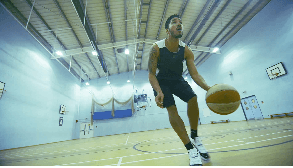
Cutting on action, also known as match on action, is one of the most useful continuity editing techniques in filmmaking. It allows editors to cut from one shot to another while a character or object is still moving, making the edit feel smooth, natural, and almost invisible to the viewer.
What is Cutting on the action?
Cut on action means changing from one shot to another while the same action continues across both shots. For example, a character may reach for a door handle in a wide shot, and the cut happens just as the hand touches the handle, continuing in a closer angle.
Because the viewer’s attention is locked onto the movement, the cut feels less noticeable. This helps create continuity and keeps the audience focused on the story instead of the edit itself.
Why Cutting on Action Works?
The main reason cutting on action works is attention control. Motion naturally attracts the eye, so when an editor cuts during movement, the viewer is less likely to notice small differences between the two shots.
That makes cutting on action useful for:
- preserving continuity
- smoothing out transitions between angles
- increasing scene energy
- hiding minor continuity issues
- making coverage feel more dynamic
This is why the technique is common in both action filmmaking and more subtle dramatic scenes.
Cutting on Action vs. Match Cut vs. Jump Cut
These techniques are often confused, but they are not the same.
A cut on action connects the same movement across two shots in the same scene.
A match cut links two shots through a visual, thematic, or compositional similarity, even if the time or location changes.
A jump cut intentionally breaks continuity by cutting within a similar framing in a way that feels abrupt or noticeable.
Understanding the difference helps editors choose the right transition for the emotional and narrative purpose of the scene.
Cutting on Action Examples
A simple example is a character sitting down. You might start in a medium shot, then cut to a closer shot halfway through the movement as the body drops into the chair.
Another example is a character opening a laptop, turning a head, picking up a glass, or stepping through a doorway. In each case, the cut works because the action bridges the two shots.
In more energetic scenes, cutting on action can make movement feel faster, stronger, and more immersive. In quieter scenes, it helps the editing disappear.
How to Plan a Cut on Action During Production?
A strong match of action in a film usually starts on set, not in the editing room.
1. Repeat the action consistently
The performer needs to repeat the movement as closely as possible in each angle. Hand placement, speed, posture, eyeline, and timing all matter.
2. Change the camera angle enough
If the two angles are too similar, the cut may feel like a jump cut instead of a seamless continuation. In many cases, changing the angle clearly helps the edit feel motivated.
3. Protect screen direction
The movement should continue in the same visual direction unless you intentionally want to disorient the audience.
4. Shoot enough coverage
Get a wide shot, a medium shot, and at least one tighter angle whenever possible. This gives the editor flexibility to place the cut where the action matches best.
How to Edit a Cut on Action?
The best place to cut is usually not during a pause, but during the movement itself.
Start by identifying the action beat that carries the viewer’s attention. Then compare both shots frame by frame and find the point where the movement overlaps most naturally. In many cases, the strongest cut happens slightly before the action completes, not after.
Good editors will often test several versions of the cut
- earlier in the movement
- in the middle of the motion
- just before the motion finishes
The right choice depends on rhythm, emphasis, and what information the audience needs at that moment.
Common Mistakes to Avoid
- Cutting too late – If the movement is already ending, the edit can feel slow or obvious.
- Cutting between angles that are too similar – This can create a jumpy result instead of seamless continuity.
- Ignoring performance continuity – Even a small mismatch in hand position, speed, or body direction can weaken the illusion.
- Using the technique without purpose – Cutting on action should support clarity, emphasis, or rhythm. It should not be used automatically on every movement.
Final Tips
If you want better cuts on action, think about the technique during both production and post.
Directors should shoot with continuity and coverage in mind. Editors should test multiple cut points and choose the one that feels most natural for the audience.
The goal is not just to hide the cut. The goal is to guide attention, preserve flow, and make the storytelling feel effortless.